
TechnoEdge

Free Master Class

How to Plan Your AI Training Budget for FY26? (For CHROs & L&Ds)

data-driven decisions

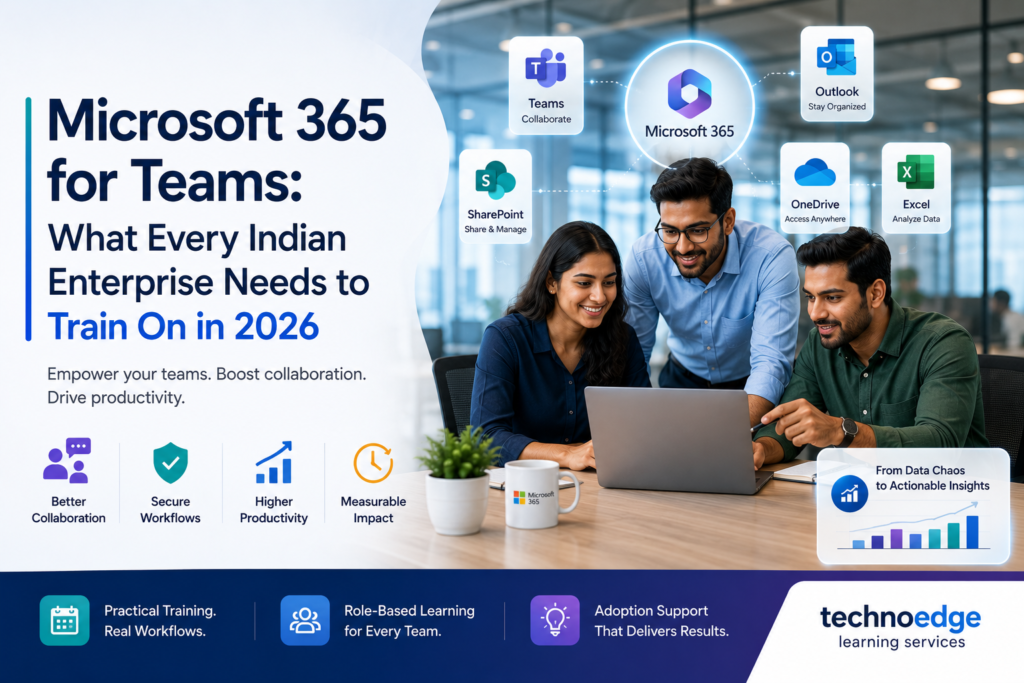
Indian enterprise team attending Microsoft 365 Teams training focused on collaboration and Copilot AI features.
blogs

Microsoft 365 for Teams: What Every Indian Enterprise Needs to Train On in 2026

Most Indian enterprises in IT, BFSI, manufacturing, and GCCs already have Microsoft 365 licenses, yet a large portion of their workforce still uses only email and basic file sharing. Advanced collaboration features in Teams, SharePoint, and the wider Microsoft 365 ecosystem remain underused, leading to fragmented workflows, duplicated effort, and missed productivity gains. The solution is structured Microsoft 365 corporate training that goes beyond app features to connect tools to actual business workflows. For collaboration-heavy organisations, focused MS Teams training for employees is often the highest-impact starting point. At Technoedge, we design Microsoft 365 training programmes for Indian enterprises that are role-based, workflow-focused, and tied to measurable productivity improvements across Teams, Outlook, Excel, OneDrive, and SharePoint Why Microsoft 365 corporate training still matters Organisations often assume that because Microsoft 365 is “user-friendly,” employees will figure it out on their own. In practice, this leads to inconsistent usage, shadow IT, and underutilised licenses. Structured Microsoft 365 corporate training matters because it: What usually goes wrong: What good looks like: This is why Microsoft 365 corporate training remains critical in 2026, even for mature enterprises. Core Microsoft 365 tools that are often underused in enterprises Many organisations pay for Microsoft 365 but only use a fraction of its capabilities. The most commonly underused tools include: Microsoft Teams SharePoint OneDrive Outlook Excel Planner and To Do Ignoring these capabilities means organisations are leaving productivity gains on the table. Training helps unlock them. MS Teams training for employees: collaboration, meetings, channels, and file workflows MS Teams training for employees should focus on the core collaboration scenarios that matter most for enterprise teams. Collaboration fundamentals Meetings and video conferencing Channels and workflows File workflows in Teams Security and compliance basics This practical focus ensures MS Teams training for employees translates into better daily collaboration. Outlook, Excel, OneDrive, SharePoint, and workplace productivity training priorities Beyond Teams, other Microsoft 365 tools require focused training to improve workplace productivity. Outlook training priorities Excel training priorities OneDrive training priorities SharePoint training priorities Workplace productivity priorities These priorities should be adapted by role and function to ensure relevance. Role-based learning paths for Microsoft 365 corporate training One-size-fits-all training rarely works for Microsoft 365. Different roles need different depth and focus. Individual contributors Managers and team leads Project and programme managers IT and admin teams Executive leaders Role-based learning paths ensure Microsoft 365 corporate training is relevant and practical for each user group. Measuring adoption and productivity after training Training impact should be measured using adoption and productivity metrics, not just completion rates. Adoption metrics Productivity metrics Qualitative indicators Track these metrics before and after training over 30–90 days to demonstrate impact. How Technoedge helps with Microsoft 365 corporate training, MS Teams training for employees, role-based productivity enablement, and better collaboration workflows At Technoedge, Microsoft 365 training is designed around real workflows, not just app features. We focus on practical skill-building that improves collaboration and productivity across Indian enterprises. Our approach includes: 1. Microsoft 365 corporate training 2. MS Teams training for employees 3. Role-based productivity enablement 4. Better collaboration workflows This ensures that Microsoft 365 corporate training translates into measurable productivity improvements. FAQs 1. Microsoft 365 corporate training: what should be included in enterprise learning programs? Enterprise Microsoft 365 learning programs should cover Teams (collaboration, meetings, channels), Outlook, Excel, OneDrive, SharePoint, and productivity workflows. They should also include role-based learning paths, security and compliance guidance, and adoption support. The content should be tied to real business workflows, not just app features. 2. MS Teams training for employees: which skills matter most for collaboration improvement? The most important skills are using teams and channels effectively, managing meetings and video conferencing, collaborating on files with co-authoring, integrating apps like Planner and SharePoint, and following security best practices for sharing. These skills directly improve daily collaboration and reduce email overload. 3. Microsoft 365 corporate training: which business functions need training first? Functions that rely heavily on collaboration and communication should be trained first: project teams, sales, operations, customer service, and HR. Managers and remote/hybrid teams also benefit early from Teams training. IT and admin teams should be trained to support governance and adoption. 4. MS Teams training for employees: how to improve adoption across large organizations? Improving adoption requires tying training to real workflows, creating champions in each function, providing role-based learning, scheduling follow-up support, integrating Teams into regular processes, and measuring usage over time. Training alone is not enough; ongoing support is critical. 5. Microsoft 365 corporate training: how to measure productivity gains after training? Measure productivity gains using adoption metrics (active users, meeting participation), productivity metrics (reduced email volume, faster processes), and qualitative indicators (user satisfaction, manager feedback). Track these before and after training to demonstrate impact. This turns Microsoft 365 training into a measurable business investment. Connect with us For enterprises looking to improve workplace productivity, Microsoft 365 corporate training often delivers better results when training is tied to actual workflows rather than app features alone. Technoedge can help build that bridge through practical, role-based learning across Teams and the wider Microsoft ecosystem. To explore how this can work for your context, you can connect with Technoedge at: https://technoedgelearning.com
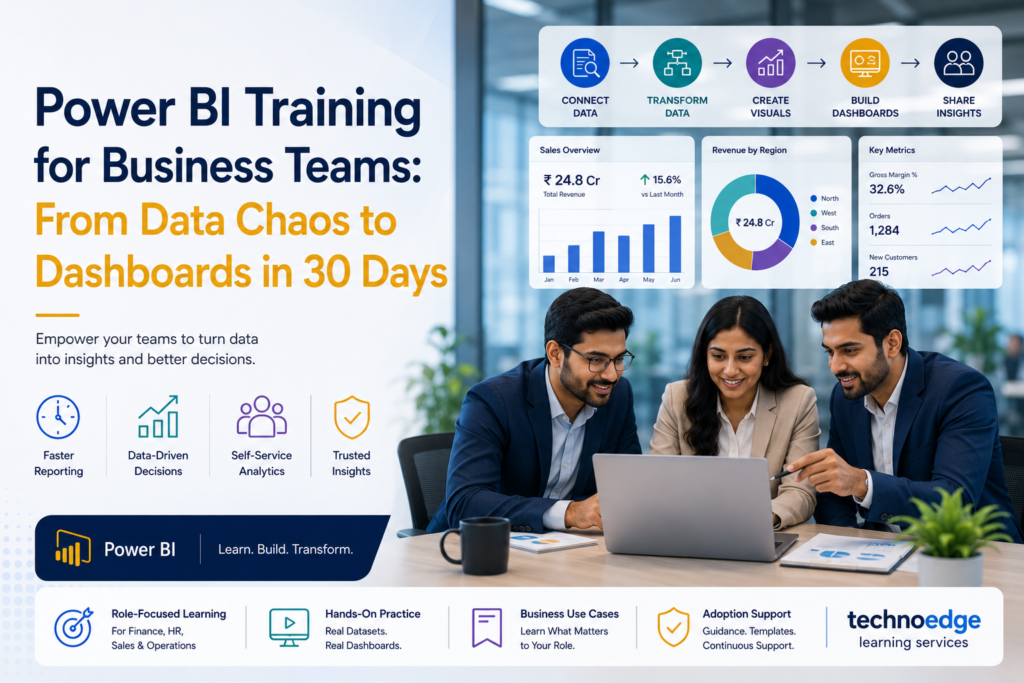

Before-and-after visualization showing messy Excel data on one side and clean Power BI KPI dashboard on the other.
blogs

Power BI Training for Business Teams: From Data Chaos to Dashboards in 30 Days

Most Indian enterprises in IT, BFSI, manufacturing, and GCCs have data in abundance but insights in short supply. Finance teams spend days compiling spreadsheets, HR leaders chase manual headcount reports, sales managers struggle with inconsistent pipeline data, and operations leaders rely on static dashboards that are outdated by the time they’re reviewed. The problem is not lack of data—it’s lack of structured Power BI training for business teams that connects analytics to real reporting pain points. A focused 30-day programme can transform how non-technical teams consume and create data, turning data chaos into actionable dashboards. At Technoedge, we design Power BI training India programmes specifically for business teams, with role-focused learning, business-use-case dashboards, and adoption support that helps non-technical users become confident analytics practitioners. Why business teams need structured Power BI training now Data-driven decision-making is no longer optional for enterprise leaders. Yet many business teams still rely on Excel-heavy workflows, manual consolidation, and static reports that delay decisions and introduce errors. Structured Power BI training for business teams addresses this by: What usually goes wrong: What good looks like: This is why Power BI training India for business teams must be practical, use-case driven, and supported beyond the classroom. Common reporting problems across finance, HR, sales, and operations Different functions face different reporting challenges, but some patterns are consistent across Indian enterprises. Finance teams HR teams Sales teams Operations teams What these problems have in common: Power BI, when taught with business use cases in mind, directly addresses each of these pain points. A 30-day roadmap for power bi training for business teams A structured 30-day roadmap helps business teams move from zero to confident dashboard creators without overwhelming them. Days 1–7: Foundations and data literacy Goal: Learners can connect to a data source and build a basic report. Days 8–14: Building functional dashboards Goal: Learners build a dashboard for their actual reporting need. Days 15–21: Advanced visuals and business logic Goal: Learners create polished, function-specific dashboards. Days 22–30: Adoption and reinforcement Goal: Learners are confident users who can maintain and improve their dashboards. This roadmap ensures Power BI training for business teams is practical and outcome-focused. Core modules in power bi corporate training Effective Power BI corporate training for business teams should cover these core modules, prioritised by business relevance rather than technical depth. Power BI fundamentals Data preparation with Power Query Visualisation best practices Measures and basic DAX Dashboard design and publishing Data governance and security These modules should be taught with business use cases, not abstract examples. Function-wise dashboard use cases To make Power BI training India practical, training should include function-specific dashboard use cases that learners can adapt to their context. Finance dashboards HR dashboards Sales dashboards Operations dashboards These use cases make training immediately relevant and increase the likelihood of adoption. How to improve adoption after training Training alone does not guarantee adoption. Business teams need ongoing support to translate learning into everyday use. Strategies for improving adoption What usually goes wrong What good looks like This approach ensures Power BI training for business teams leads to sustained adoption. How Technoedge helps with practical Power BI training, business-use-case dashboards, role-focused learning, and adoption support for non-technical teams At Technoedge, Power BI training is designed for business teams, not just technical analysts. We focus on practical learning, real use cases, and adoption support that helps non-technical users become confident. Our approach includes: 1. Practical Power BI training 2. Business-use-case dashboards 3. Role-focused learning 4. Adoption support This ensures that Power BI training India for business teams translates into real-world impact. FAQs 1. Power BI training India: what should be covered in enterprise training programs? Enterprise Power BI training should cover fundamentals, data preparation with Power Query, visualisation best practices, basic DAX measures, dashboard design, publishing, and data governance. It should also include function-specific use cases for finance, HR, sales, and operations. The content should be practical and business-focused, not overly technical. 2. Power BI training for business teams: can non-technical teams learn dashboard creation effectively? Yes, non-technical teams can learn dashboard creation effectively when training is designed for them. The key is to focus on business use cases, avoid deep technical complexity, and provide hands-on practice with real data. With the right approach, managers and functional leaders can build dashboards without coding experience. 3. Power BI corporate training: which departments benefit most from dashboard skills? Finance, HR, sales, and operations departments benefit most from dashboard skills because they rely heavily on reporting and data-driven decisions. These functions typically have the most manual reporting processes and the highest potential for improvement. Other departments like marketing, supply chain, and customer success also benefit significantly. 4. Power BI training India: how long does business team training usually take? Business team training typically takes 4–6 weeks for a comprehensive programme, with a 30-day roadmap being a common model. This includes foundational learning, dashboard building, and adoption support. Intensive bootcamps can compress this into 1–2 weeks, but longer programmes tend to have better adoption. 5. Power BI training for business teams: how to improve dashboard adoption after training? Improving adoption requires linking dashboards to real reporting pain points, creating champions in each function, providing templates, scheduling follow-up sessions, integrating dashboards into workflows, and measuring usage. Training alone is not enough; ongoing support is critical for sustained adoption. Connect with us For organizations investing in Power BI training for business teams, the biggest improvement often comes from linking dashboards to real reporting pain points. Technoedge can help make that shift through business-focused Power BI learning journeys and practical analytics use cases. To explore how this can work for your context, you can connect with Technoedge at: https://technoedgelearning.com

Trust Us, One Call Can Make a Difference
Please enable JavaScript in your browser to complete this form.
Join As Trainer
Join As Trainer
Please enable JavaScript in your browser to complete this form.
Download Course Content
Please enable JavaScript in your browser to complete this form.
More than 5 People are attending Get On a Call with Us
Please enable JavaScript in your browser to complete this form.
More than 5 People are attending Get On a Call with Us
Scroll to Top