TechnoEdge

Free Master Class

How to Plan Your AI Training Budget for FY26? (For CHROs & L&Ds)

blogs

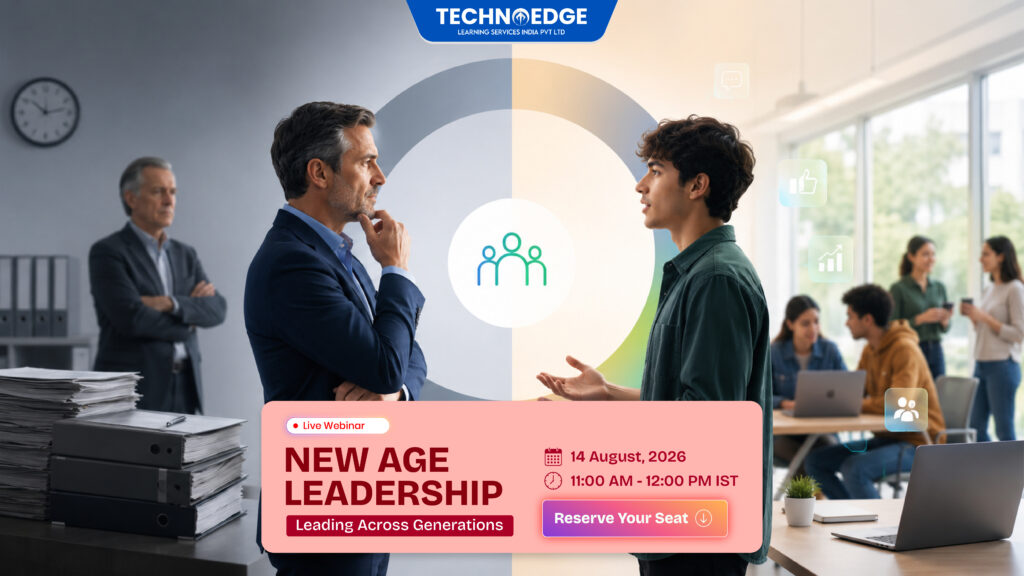
Gen Z workplace leadership and management webinar by TechnoEdge, New Age Leadership: Leading Across Generations, on 11 August 2026 from 11 AM to 12 PM IST on Microsoft Teams.
blogs

Is Gen Z Difficult to Manage—or Differently Motivated?

Managing Gen Z in the workplace is becoming one of the most discussed leadership challenges—but are younger employees really difficult to manage, or do they simply respond to leadership differently? “Gen Z is difficult to manage.” It is a statement increasingly heard in workplace conversations. Some managers say younger employees want too much feedback. Others believe they expect rapid career progression, greater flexibility or more autonomy than previous generations. Some leaders are concerned about retention, engagement and changing attitudes towards traditional workplace authority. But before organisations conclude that Gen Z is the problem, there is a more useful question to ask: Are younger employees difficult to manage—or are they responding to the workplace differently? Gen Z has entered the workforce during a period of rapid technological change, hybrid working, AI adoption, shifting career expectations and greater transparency around workplace culture. As a result, some behaviours that managers interpret as poor attitude, low commitment or impatience may sometimes be linked to something more manageable: unclear expectations, insufficient feedback, limited visibility around development, or a mismatch between leadership style and employee needs. The objective should not be to defend one generation or criticise another. The objective is to understand what managers can change. What looks like a generational attitude problem may sometimes be a leadership, communication or expectation gap. And that is exactly why modern organisations need stronger leadership adaptability. Join TechnoEdge’s New Age Leadership Webinar New Age Leadership Leading Across Generations Managing Gen Z is only one part of today’s leadership challenge. Modern managers increasingly lead employees from different generations, career stages, professional backgrounds and working styles. Join TechnoEdge for a practical 60-minute online webinar exploring how managers can improve communication, feedback, motivation and collaboration across age-diverse teams. Topic: New Age LeadershipTagline: Leading Across GenerationsDate: 14 August 2026Time: 11:00 AM to 12:00 PM ISTPlatform: Microsoft TeamsMode: Online Only Reserve Your Seat Now Register Here Why generational labels can become a leadership shortcut When conversations about Gen Z begin, certain statements often appear: “They need constant feedback.” “They are impatient.” “They expect too much flexibility.” “They change jobs too quickly.” “They do not respond to traditional authority.” Some managers may have experienced situations that seem to support these observations. But there is a problem when individual experiences become universal assumptions. Not every Gen Z employee has the same personality, motivation, career goals, communication style or expectations. The same is true for Millennials, Generation X and Baby Boomers. Generational awareness may provide context, but it should never replace understanding the individual employee. Instead of asking: “Why are Gen Z employees like this?” Managers can ask: These questions turn a generational debate into a leadership conversation. That is far more useful for employee engagement, performance and retention. 1. Clarity may matter more than managers realise A common leadership challenge when managing younger employees is interpreting hesitation as a lack of initiative. Consider a manager who tells an employee: “Take ownership of this.” The manager believes the instruction is clear. The employee may be thinking: The employee may not lack ownership. They may lack clarity. This distinction matters. Managers who want employees to take greater responsibility should make the boundaries of that responsibility visible. How managers can improve clarity Managers can: Define the desired outcome.Explain what should be achieved rather than simply assigning an activity. Explain what ownership means.Clarify which decisions the employee can make independently. Set decision boundaries.Identify when escalation or approval is necessary. Agree on milestones.Employees can have autonomy while still having clear checkpoints. Make performance expectations visible.Employees should understand how their work will be evaluated. The leadership lesson is simple: Clarity creates confidence. Ambiguity can easily be mistaken for disengagement. 2. Gen Z feedback expectations may be changing Feedback is another area where managers may experience differences. Traditional performance management often relied heavily on annual or periodic reviews. But employees today may expect feedback much closer to the moment when the work happens. Some Gen Z employees may want regular confirmation of: This does not mean managers should constantly praise employees. Frequent feedback and constant praise are not the same thing. Good employee feedback should be: A practical feedback framework Managers can use a simple four-part structure: What happened → Why it matters → What should continue or change → What happens next For example: Instead of saying: “You need to communicate better.” A manager could say: “The project update reached the client after the agreed deadline. That meant the client did not have enough time to review the information before the meeting. For the next update, please send it by 3 PM the previous day. Let us review how that process works after the next two meetings.” That feedback is clear. It connects behaviour with impact. And it gives the employee something practical to do next. Regular feedback can increase accountability when it gives employees clearer direction. 3. Career growth needs to feel visible When younger employees ask about promotion or career progression, managers may interpret the conversation as impatience. But an employee asking: “What comes next?” may actually be asking: “Is there a meaningful future for me here?” Employees early in their careers may want to understand: Managers do not need to promise promotions that may not be available. But they should provide direction. What managers can do Managers can: Career development conversations are valuable even when promotion is not immediately available. Career conversations do not always require a promotion. They require visibility and direction. This is particularly important for organisations concerned about Gen Z employee retention. Employees are more likely to understand their future when managers make that future easier to see. 4. Purpose needs to connect with the actual role Purpose is sometimes discussed as if every employee needs their job to change the world. That is not necessary. At work, purpose can be much simpler. It can mean being able to answer: “Why does my contribution matter?” Managers can connect everyday responsibilities with: Consider the difference between these two instructions. “Complete this report by Friday.” and:

New Age Leadership webinar by TechnoEdge on leading a multi-generational workforce, scheduled for 11 August 2026 on Microsoft Teams.
blogs

Leading a Multi-Generational Workforce: What Today’s Managers Need to Change

One workplace. Multiple generations. Different expectations. Is your leadership approach keeping up? Today’s organisations may have Baby Boomers, Generation X, Millennials and Generation Z working together in the same teams. They may share the same business goals, work on the same projects and report to the same manager. However, their expectations around communication, feedback, flexibility, recognition, career progression and workplace technology may be very different. This is where many managers face a challenge. The problem is not having different generations in the workplace. A multi-generational workforce can bring together valuable experience, institutional knowledge, digital confidence, fresh perspectives and different approaches to problem-solving. The real challenge begins when managers try to lead every employee using exactly the same management style. Modern managers need to understand an important principle: Different generations do not necessarily need different performance standards. They may need different ways of being led towards those standards. That is why leadership adaptability has become an essential capability for organisations managing age-diverse teams. Upcoming TechnoEdge Webinar New Age Leadership Tagline: Leading Across Generations Discover practical ways to communicate, motivate and lead employees across generations without compromising performance or accountability. Date: 11 August 2026Time: 11:00 AM to 12:00 PM ISTPlatform: Microsoft TeamsMode: Online only Reserve Your Seat Now Register Here Why traditional leadership approaches are becoming less effective Many conventional management practices were developed in more hierarchical workplaces. Managers communicated instructions. Employees followed them. Feedback was often reserved for annual performance reviews, and career progression followed a relatively predictable path. The workplace has now changed. Teams may be hybrid, geographically distributed and digitally connected. Employees have greater access to information, more opportunities to express their expectations and different ideas about what a healthy relationship with work should look like. As a result, a management approach that works well for one employee may not work equally well for another. For example: When managers fail to recognise these differences, organisations may experience communication gaps, misunderstandings, lower employee engagement, reduced collaboration and preventable workplace conflict. Manager frustration may also increase because employees appear to respond differently to the same instruction, feedback or reward. This is why effective multi-generational workforce management is not about learning a separate leadership formula for every age group. It is about developing the adaptability to understand and lead individuals more effectively. What managers need to change about communication Communication is not successful simply because a message has been delivered. It is successful when the message has been understood correctly and the employee knows what action to take. In an age-diverse team, employees may have different communication preferences. Some may prefer email because it provides structure and a written record. Others may prefer instant messaging for speed. Some may respond best to a direct conversation, particularly when the subject is complex or sensitive. Managers should therefore consider both the message and the communication channel. A digital message may be suitable for a routine project update. It may not be appropriate for developmental feedback, conflict resolution or a conversation about performance. Managers can improve cross-generational communication by taking five practical steps. 1. Explain the outcome, not only the task Employees should understand what they are expected to do and why the work matters. When managers connect a task to the team, customer or organisational goal, employees are more likely to make informed decisions and take ownership. 2. Choose the right communication channel Urgency should not be the only factor. Managers should also consider complexity, sensitivity and whether the employee needs an opportunity to discuss the message. 3. Clarify responsibilities and deadlines Terms such as “soon,” “urgent” or “high priority” can be interpreted differently. Managers should clearly define ownership, timelines and the expected quality of the result. 4. Invite questions Inviting questions does not reduce accountability. It reduces the risk of employees proceeding with an incorrect understanding. 5. Check how the message has been understood Silence does not always mean agreement or clarity. Managers can ask employees to summarise the agreed next step rather than simply asking, “Do you understand?” The key principle is simple: Adapt the communication method while keeping the expectation clear. What managers need to change about feedback Feedback is one of the most important areas of leadership adaptability. The same feedback style may motivate one employee and discourage another. Some employees appreciate direct and immediate feedback. Others respond better when feedback is delivered privately, supported with specific examples and followed by time to reflect. This does not mean managers should avoid honest conversations. It means they should communicate feedback in a way that makes improvement more likely. Feedback should also not be delayed until a formal annual review. When feedback is provided several months after an event, the employee may struggle to connect it with the behaviour or outcome being discussed. More regular feedback creates clarity and allows employees to make adjustments earlier. Managers can make feedback more effective by: Managers should also make praise specific. Saying “good job” may sound positive, but it provides limited guidance. Saying, “Your preparation helped the team identify the delivery risk before the client meeting,” tells the employee exactly what they did well and what behaviour should be repeated. The performance expectation can remain consistent. The timing, format and level of detail used to deliver the feedback can be adapted. What managers need to change about motivation A common management mistake is assuming that the same reward will motivate everyone. Salary and promotion remain important, but employee motivation is more complex. Different employees may value: These preferences should not automatically be assigned to a particular generation. Not every younger employee wants rapid promotion. Not every experienced employee is motivated only by stability. Personal circumstances, career stage, ambitions and individual values all influence motivation. Managers need to replace assumptions with conversations. Useful questions may include: These conversations help managers understand the individual behind the job title. Managers can then connect responsibilities to organisational goals, offer meaningful learning opportunities and recognise contributions in ways that employees genuinely value. What managers need to change about workplace

Banking professionals walking toward a digital BFSI transformation roadmap with AI, cloud, data analytics, and cyber resilience icons.
blogs

BFSI Technology Training 2026: How Banks Can Upskill Teams for AI, Cloud, Data, and Cyber Resilience

BFSI technology training 2026 should focus on five enterprise capability areas: AI governance, cloud security, data governance, cybersecurity resilience, and GRC readiness. Banks should prioritize role-based learning paths, hands-on labs, incident simulations, and assessment-led training roadmaps that connect workforce capability with operational resilience, audit readiness, and secure digital transformation. Introduction BFSI technology training 2026 is no longer a generic IT upskilling initiative. For banks, NBFCs, insurance companies, fintech teams, and financial institutions, technology training now directly affects operational resilience, cyber risk, AI governance, cloud security, data reliability, audit readiness, and business continuity. In 2026, BFSI leaders are managing several shifts at the same time: AI adoption, cloud modernization, data governance pressure, third-party technology dependency, cyber resilience expectations, and stricter regulatory scrutiny. CIOs, CISOs, CTOs, Chief Risk Officers, compliance leaders, and L&D heads cannot treat these areas as separate training calendars. They need a structured capability-building roadmap. The urgency is clear. DORA entered into application on 17 January 2025 and requires financial entities to withstand, respond to, and recover from ICT disruptions such as cyberattacks and system failures. It covers ICT risk management, ICT third-party risk, resilience testing, ICT incident reporting, information sharing, and oversight of critical third-party providers. NIST CSF 2.0 is also positioned as a framework for industry, government, and organizations to reduce cybersecurity risk. For BFSI enterprises, the key question is not: “Which course should we buy?”The better question is: “Which skill gaps can create business disruption, failed audits, data misuse, cloud exposure, AI risk, or delayed incident recovery?” What This Blog Covers This guide explains: Why BFSI Technology Training 2026 Must Shift from Upskilling to Operational Resilience BFSI technology training in 2026 must be designed around business risk, not course catalogs. A bank does not need employees to simply “complete training.” It needs teams that can operate secure cloud environments, manage AI risk, detect threats, respond to incidents, protect customer data, document controls, and support business continuity under pressure. Operational resilience means the ability of a financial institution to continue critical services during technology, cyber, process, vendor, or infrastructure disruption. In practical terms, this means teams must know what to do before, during, and after disruption. Policies alone cannot deliver resilience. Platforms alone cannot deliver resilience. Workforce capability is the operating layer that converts controls into action. This is why BFSI technology training 2026 must involve IT, security, cloud, data, engineering, product, audit, compliance, vendor risk, operations, and leadership teams together. If cloud teams understand platforms but not resilience evidence, audit gaps remain. If risk teams understand controls but not AI and cloud architecture, reviews become theoretical. If SOC teams detect alerts but do not understand business impact, incident response slows down. The World Economic Forum’s Global Cybersecurity Outlook 2026 highlights that accelerating AI adoption, geopolitical fragmentation, and widening cyber inequity are reshaping the global risk landscape. The report also notes that attacks are becoming faster, more complex, and unevenly distributed, increasing pressure on organizations and governments to adapt. For BFSI leaders, this makes role-based training a resilience investment, not a routine L&D activity. BFSI Technology Training 2026 Priorities: AI, Cloud, Data, Cybersecurity, and GRC Banks should structure BFSI technology training around five priority capability clusters. The first priority is AI governance and secure AI adoption. Banks are using AI for copilots, customer support, credit workflows, fraud detection, relationship management, code generation, HR operations, risk analytics, and document processing. Without governance, these use cases can create data leakage, hallucination risk, bias, weak oversight, uncontrolled plugin use, and unclear accountability. The second priority is cloud architecture and cloud security. BFSI cloud teams need more than platform knowledge. They need secure landing zone design, identity and access management, encryption, logging, backup, workload segmentation, regulatory evidence, resilience testing, and cloud cost-risk visibility. The third priority is data governance and analytics readiness. AI and analytics depend on trusted data. Data teams must understand data quality, lineage, privacy, access control, reporting reliability, data cataloging, and governance workflows. Without strong data governance, AI readiness becomes weak. The fourth priority is cybersecurity and cyber resilience operations. This includes SOC capability, threat detection, ransomware readiness, incident response, crisis simulation, identity governance, Zero Trust, vulnerability management, and business continuity. The fifth priority is GRC and audit readiness. BFSI teams need to connect policies, controls, evidence, dashboards, audit trails, third-party risk, and regulatory obligations. GRC training must help teams move from documentation to operational proof. BFSI Capability Matrix for Role-Based Training Training Area Target Roles Risk Addressed Capability Outcome AI Governance CIO, Risk, Product, Data, Compliance, Business Heads Model misuse, bias, data leakage, hallucination, weak oversight AI use-case review, approval workflow, monitoring model Cloud Security Cloud Architects, DevOps, Platform Engineers, Security Teams Misconfiguration, outage, breach, weak recovery Secure cloud architecture, identity control, logging, backup, resilience Data Governance Data Teams, Risk Analysts, BI Teams, Compliance Teams Poor reporting, weak AI readiness, privacy gaps Data quality, lineage, cataloging, trusted analytics Cyber Resilience SOC, CISO Office, IT Ops, Legal, Communications, Business Heads Ransomware, incident failure, slow recovery Incident response, tabletop simulation, escalation workflow GRC & Audit Risk, Compliance, Internal Audit, IT Governance Audit gaps, weak evidence, regulatory exposure Control mapping, evidence collection, risk reporting Third-Party Risk Procurement, Vendor Risk, IT, Legal, Business Owners ICT vendor disruption, SaaS dependency, concentration risk Vendor assessment, contract controls, resilience evidence Secure Engineering Developers, QA, DevSecOps, Engineering Leads Vulnerable releases, API exposure, insecure pipelines Secure SDLC, DevSecOps, API security, testing automation AI Governance Training for Banks in 2026 AI governance training is one of the most important BFSI technology training priorities in 2026. Banks are not only experimenting with AI; they are embedding AI into operations, analytics, software delivery, customer experience, fraud monitoring, and decision support. The NIST AI Risk Management Framework is designed for voluntary use and aims to improve the ability to incorporate trustworthiness considerations into the design, development, use, and evaluation of AI products, services, and systems. This makes it highly relevant for BFSI teams that need a practical language for AI risk, governance, monitoring, and accountability. AI governance training should

Business leader choosing governed Power Platform automation over shadow IT risks
blogs

Power Platform Automation Training 2026: How Enterprises Can Build Low-Code Workflows Without Creating Shadow IT

Power Platform automation training 2026 helps enterprises build secure, governed, and scalable low-code workflows using Microsoft Power Platform. It teaches business users, IT admins, automation teams, and security leaders how to use Power Automate, RPA, Dataverse, connectors, data policies, managed environments, and AI workflow controls without creating shadow IT. Introduction Power Platform automation training 2026 is no longer only about teaching employees how to create flows. For enterprises, it is about building governed automation capability across business teams, IT teams, security teams, and L&D functions. Low-code automation is now part of enterprise operations. Business users want faster approvals, fewer manual handoffs, automated notifications, better reporting, and AI-assisted workflow execution. At the same time, CIOs and CISOs need visibility, ownership, auditability, data protection, and lifecycle control. This is where Power Platform automation training becomes a strategic control layer. It helps organizations scale Power Automate, Power Apps, Dataverse, RPA, and AI-assisted workflows while reducing the risk of unmanaged automation, broken flows, exposed data, and shadow IT. Microsoft describes Power Platform data policies as guardrails that help reduce the risk of users unintentionally exposing organizational data, especially through connectors used across Power Apps, Power Automate, and Microsoft Copilot Studio. In This Guide, You Will Learn Why Power Platform Automation Training in 2026 Is a Shadow IT Control Strategy Power Platform automation training in 2026 is not just a productivity initiative. It is a shadow IT prevention strategy. Shadow IT happens when employees create apps, workflows, bots, scripts, dashboards, or automation assets outside approved IT visibility, security review, data governance, and lifecycle management. In the Power Platform context, this can include unmanaged Power Automate flows, personal productivity workflows, custom connectors, desktop flows, AI-assisted workflows, and business-critical automations owned by individual users. The risk increases when business users automate faster than IT can review data access, connector usage, environment boundaries, ownership, and compliance requirements. A simple flow that connects SharePoint, Outlook, Teams, Excel, Salesforce, Dataverse, or a third-party API can become a governance issue if it moves sensitive data into uncontrolled systems. For enterprise decision-makers, the goal is not simply to create more workflows. The goal is to reduce manual effort while keeping automation visible, supportable, secure, and aligned with enterprise governance. Power Platform automation training 2026 helps employees understand when to automate, what data can be used, which connectors are allowed, how approvals work, when IT review is required, and how workflows should move from prototype to production. What Power Platform Automation Training 2026 Must Cover A strong Power Platform automation training program must be role-based. A business maker, RPA developer, IT admin, security leader, and L&D head do not need the same depth of training. Power Automate users need to understand workflow logic, approvals, triggers, actions, exceptions, and monitoring. RPA developers need desktop flow design, legacy application automation, API usage, error handling, and deployment discipline. IT admins need environment strategy, connector governance, DLP policies, managed environments, inventory, ownership, and monitoring. Security leaders need visibility into data movement, AI-enabled workflows, and risk controls. Microsoft defines Power Platform data policies as a way for administrators to control connector access and reduce organizational data risk. The same Microsoft documentation explains that policy changes can affect both design-time maker experience and runtime workflow execution. A complete enterprise training program should cover: Training Area Target Role Risk Addressed Business Capability Power Platform fundamentals Business leaders and makers Misuse of low-code tools Platform awareness Power Automate cloud flows Process owners and makers Manual handoffs Workflow automation Desktop flows and RPA Automation developers Legacy process dependency RPA delivery Dataverse security App makers and admins Unauthorized access Secure data model DLP policies and connectors IT admins and CISOs Data leakage Connector governance Managed environments Platform owners Uncontrolled scaling Environment control ALM and deployment Developers and admins Unsupported production workflows Release discipline AI workflow governance Business, IT, and security teams Uncontrolled AI actions Safe AI-assisted automation Core Definitions for Enterprise Teams Power Platform automation training 2026 is role-based enterprise training that helps teams build, govern, monitor, and scale low-code workflows using Microsoft Power Platform. Power Automate is Microsoft’s workflow automation service for creating cloud flows, desktop flows, approvals, integrations, and RPA-driven process automation. RPA means robotic process automation. It uses software bots or desktop flows to automate repetitive tasks across desktop applications, browser-based systems, terminals, APIs, databases, and legacy platforms. Dataverse is Microsoft’s enterprise data platform for Power Platform. It supports structured data, security roles, business rules, relationships, and application lifecycle management. DLP policies are Power Platform data loss prevention policies that classify connectors and define which connectors can be used together in specific environments. Managed environments are premium Power Platform capabilities that help admins manage Power Platform at scale with more control, less effort, and more insights. Microsoft lists features such as environment groups, limit sharing, usage insights, data policies, pipelines, solution checker, IP firewall, and other governance capabilities under managed environments. Center of Excellence is an operating model that supports Power Platform governance, enablement, standards, support, training, monitoring, and adoption. Power Platform Certification Positioning in 2026 Enterprises should treat Microsoft certification as a useful capability signal, but not as the complete training strategy. Power Platform automation training 2026 should be aligned with certification areas, but it must also include current enterprise governance needs such as DLP policies, managed environments, AI workflow governance, ALM, monitoring, and production support. Microsoft’s Power Platform Fundamentals certification covers the business value and product capabilities of Power Platform, including Power Apps, Dataverse, data connections, and Power Automate. Microsoft also notes that the English version of this certification will be updated on July 24, 2026. Microsoft’s Power Platform App Maker Associate page shows a retirement date of June 30, 2024, while still describing the underlying capability area of building low-code solutions to simplify, automate, and transform business tasks and processes. Microsoft’s Power Automate RPA Developer Associate page also shows that the certification and renewal assessment are retired, while the page still describes the skill area around automating Windows-based, browser-based, and terminal-based repetitive processes using desktop flows,

Enterprise AI readiness assessment showing skill gaps, training priorities, and AI-ready organization roadmap
blogs

AI Readiness Assessment 2026: How L&D Leaders Should Identify Skill Gaps Before Buying AI Training

An AI readiness assessment 2026 helps enterprises identify whether their teams have the skills, governance awareness, workflow maturity, and role-specific AI capability needed before investing in AI training. For L&D leaders, CIOs, CTOs, CHROs, and business heads, it prevents generic AI upskilling, reduces governance risk, and ensures training budgets are mapped to measurable workforce capability. Enterprise AI training should not begin with a course catalog. It should begin with a clear understanding of where teams are ready, where they are exposed to risk, and which roles need targeted capability building. In 2026, AI adoption is no longer limited to experimentation. Enterprises are moving toward governed AI deployment, where employees must know how to use AI tools, validate outputs, protect sensitive data, follow internal policies, and redesign real workflows. Without an AI readiness assessment, AI upskilling for teams can become expensive activity instead of measurable business capability. The World Economic Forum’s Future of Jobs Report 2025 highlights the scale of workforce transformation, bringing together insights from more than 1,000 global employers representing over 14 million workers across 55 economies. This makes AI readiness a workforce planning priority, not only an L&D initiative. In This Guide, You’ll Learn Why AI Readiness Assessment 2026 Must Come Before AI Training AI readiness assessment must come before AI training because different teams have different AI risks, use cases, tools, and skill gaps. A generic AI course may build awareness, but it rarely prepares employees to apply AI safely inside real enterprise workflows. AI training fails when enterprises treat AI adoption as a tool problem instead of a capability transformation problem. The better question is not, “Which AI course should we buy?” The better question is, “Which teams are ready to use AI safely, and which skill gaps could create risk, waste, or poor adoption?” AI readiness assessment is a structured, role-based diagnostic process that evaluates workforce capability, AI literacy, governance awareness, workflow maturity, and business alignment before an organization invests in AI upskilling. The business risk is clear. Employees may learn prompt writing but still expose confidential data, overtrust AI-generated outputs, ignore hallucination risks, or use unapproved tools outside governance controls. This can lead to low adoption, inconsistent productivity gains, and higher compliance exposure. For enterprise L&D leaders, an AI readiness assessment creates three clear outcomes: This is why AI readiness assessment 2026 should be treated as the first step in enterprise AI training, not an optional pre-training exercise. How L&D Leaders Should Map AI Skill Gaps Before Buying AI Upskilling for Teams L&D leaders should map AI skill gaps by role, workflow, data exposure, tool usage, and business outcome. A finance team, HR team, sales team, software team, cybersecurity team, and operations team do not need the same AI training path. Skill gaps in AI are rarely uniform. A finance analyst, software engineer, sales manager, HR business partner, cybersecurity analyst, and operations leader may all need AI literacy, but their actual AI capability requirements are different. AI literacy is the ability to understand AI capabilities, limitations, risks, and responsible usage expectations in the context of a person’s role and work environment. AI literacy is also becoming a governance concern. Under EU AI Act Article 4, providers and deployers of AI systems must take measures to ensure a sufficient level of AI literacy for staff and others using AI systems on their behalf, considering technical knowledge, experience, education, training, and usage context. Article 4 entered into force on 2 February 2025. Before buying AI training, L&D leaders should assess five core capability areas: Role-based AI competency is the specific combination of AI knowledge, tool usage, risk judgment, and workflow application required for a job function to use AI effectively. This is where generic AI training breaks down. A one-size-fits-all course may create awareness, but it rarely builds enterprise capability. L&D leaders need a readiness map that shows where training should begin, which teams need deeper support, and which functions require custom corporate training solutions. What an Enterprise AI Readiness Assessment Should Measure in 2026 An enterprise AI readiness assessment should measure both workforce skills and organizational readiness. It should evaluate AI literacy, governance awareness, data handling, tool adoption, workflow maturity, leadership alignment, and the ability to measure AI training outcomes. AI adoption is not only about whether employees can use tools. It is also about whether the enterprise has clear policies, approved platforms, data controls, leadership alignment, practical workflows, and measurable success criteria. AI governance is the set of policies, controls, roles, and decision rights that guide how AI is selected, deployed, monitored, and used across an organization. IBM’s Cost of a Data Breach Report 2025 highlights the risk of weak AI governance. IBM reports that ungoverned AI systems are more likely to be breached and more costly when breached. It also reports that 63% of organizations lacked AI governance policies to manage AI or prevent shadow AI. A strong AI readiness assessment should measure: This gives L&D leaders a practical way to connect AI upskilling for teams with governance, business value, and measurable workforce capability. TechnoEdge AI Readiness 6-Dimension Framework The TechnoEdge AI Readiness 6-Dimension Framework helps enterprises evaluate readiness across six areas: AI literacy, data judgment, output validation, workflow fit, governance awareness, and role capability. It helps L&D and business leaders convert AI training needs into structured learning paths. The TechnoEdge AI Readiness 6-Dimension Framework is designed for enterprise L&D, IT, HR, and business leaders who want to identify AI skill gaps before investing in corporate IT training. Readiness Dimension What It Measures Why It Matters AI Literacy Understanding of AI capabilities, limits, risks, and responsible use Reduces misuse and overtrust Data Judgment Ability to protect sensitive, confidential, and regulated data Reduces privacy and compliance risk Output Validation Ability to check AI outputs for accuracy, bias, hallucination, and weak reasoning Improves quality and decision safety Workflow Fit Ability to apply AI inside real tasks, processes, and team workflows Converts training into productivity Governance Awareness Understanding of approved tools, policies, escalation, and human

Non-technical business team using generative AI tools for smart writing, data insights, presentations, meeting summaries, and productivity gains.
blogs

Generative AI Training for Non-Technical Teams in 2026

How HR, Finance, Sales, and Operations Can Use AI Safely Generative AI training for non-technical teams in 2026 is no longer optional enterprise awareness training. It is a business capability program that helps HR, Finance, Sales, and Operations teams use AI safely, consistently, and measurably in daily work. The goal is not to turn business users into coders, data scientists, or AI engineers. The goal is to help them use generative AI responsibly for drafting, summarizing, analyzing, comparing, documenting, reporting, communicating, and improving workflows without exposing sensitive data or trusting AI outputs blindly. This matters because AI adoption has already moved beyond experimentation. Employees are using AI tools across departments, but many organizations still lack clear rules for approved tools, data handling, output verification, human review, and accountability. In the European Union, AI literacy obligations under the AI Act entered into application from 2 February 2025, which makes AI capability and responsible usage a governance concern as well as a productivity priority. For CHROs, CFOs, CROs, COOs, CIOs, CISOs, and L&D Heads, the question is no longer whether non-technical employees should learn AI. The real question is how to train business teams to use AI safely without creating governance, compliance, data security, or customer trust risks. Quick Answer: What Is Generative AI Training for Non-Technical Teams? Generative AI training for non-technical teams teaches business users how to use AI tools safely in role-specific workflows without coding. It covers AI literacy, prompt writing, approved tool usage, data protection, bias awareness, hallucination checks, human-in-the-loop review, and measurable productivity use cases for departments such as HR, Finance, Sales, and Operations. A strong enterprise program should answer five practical questions: Without these answers, employees improvise. Improvisation creates enterprise risk. In This Guide, You Will Learn Why Generative AI Training Fails When It Becomes Only Tool Training Many enterprise AI training programs fail because they teach tools instead of work. A generic session on AI features may create temporary excitement, but it rarely changes how teams perform real business tasks. Non-technical employees do not need a lecture on model architecture. They need practical guidance on safe usage, role-based workflows, data boundaries, output review, and business accountability. Generative AI is artificial intelligence that can create, summarize, transform, classify, compare, and analyze content such as text, tables, emails, reports, presentations, meeting notes, policy documents, and process documentation. For non-technical teams, the value is not knowing every AI feature. The value is knowing when AI should be used, what data can be entered, how outputs should be checked, and where human judgment must remain final. A Finance analyst does not need to build a model. They need to know how to draft variance commentary, compare approved budget narratives, summarize finance policies, and avoid entering confidential financial information into unauthorized tools. An HR leader does not need to understand neural network layers. They need to know how to draft employee communication, review job descriptions for biased language, summarize feedback responsibly, and protect personal employee data. A Sales manager does not need prompt tricks without controls. They need to know how to prepare account briefs, summarize CRM notes, personalize outreach, and avoid making unverified customer claims. An Operations head does not need AI hype. They need repeatable workflows for SOP drafting, incident report summarization, vendor comparison, process documentation, and action tracking. That is the 2026 training gap: business teams are using AI, but not always safely, consistently, or measurably. Why Non-Technical Teams Need Role-Based AI Training in 2026 Role-based AI training connects generative AI to actual business workflows. It avoids generic training and focuses on what each department needs to do safely and productively. For enterprise leaders, this matters because AI risk is not evenly distributed. HR handles personal and employment data. Finance handles confidential financial information. Sales handles customer commitments and commercial messaging. Operations handles process instructions, vendor coordination, and execution quality. A single AI awareness session cannot solve these different risks. Role-based training gives each function a practical operating model: The NIST AI Risk Management Framework is designed to help organizations manage AI risks to individuals, organizations, and society, and NIST’s Generative AI Profile helps organizations identify unique risks from generative AI and select risk-management actions aligned with their goals. This is exactly why enterprise AI training must include governance and risk awareness, not only productivity tips. Generative AI Training for HR Teams HR is one of the most important departments for generative AI training because it manages employee communication, recruitment, onboarding, policy documentation, performance support, learning content, and sensitive employee information. AI can help HR teams move faster, but it can also create risk if employees use it without guidance. AI literacy is the ability of employees to understand how AI systems work at a practical level, where AI can create value, what risks it introduces, and how to use it responsibly in their job context. For HR teams, safe AI training should focus on practical workflows such as: Bias in AI is the risk that an AI system produces unfair, skewed, or discriminatory outputs because of training data, user instructions, design choices, or poor human review. In HR, bias risk is not theoretical. It can affect hiring, promotion, performance management, employee trust, and legal exposure. That is why HR teams should be trained to use AI for assistance, not final judgment. A safe HR AI training program should include bias detection, personal data protection, approved prompt templates, policy review workflows, and clear escalation rules for sensitive employee matters. The business outcome is faster HR communication, clearer employee support, improved manager enablement, and reduced administrative load without weakening fairness or confidentiality. TechnoEdge CTA for HR Leaders TechnoEdge can help HR and L&D teams design generative AI training for HR workflows such as recruitment communication, onboarding content, policy communication, employee FAQs, learning support, and manager enablement. Generative AI Training for Finance Teams Finance teams are strong candidates for generative AI because they manage recurring knowledge workflows: reporting, forecasting, budgeting, variance analysis, policy interpretation, audit preparation, and executive

Enterprise team using Microsoft 365 Copilot training to turn unused licenses into role-based workflows and measurable productivity gains.
blogs

Microsoft 365 Copilot Training in 2026: How Enterprises Can Turn AI Licenses Into Measurable Productivity Gains

Microsoft 365 Copilot training in 2026 is no longer only about teaching employees how to write better prompts. For enterprises, it is about helping teams use Copilot securely, redesign daily workflows, improve measurable productivity, and reduce governance risk across Microsoft 365 environments. Many organizations have already invested in AI licenses. The bigger question now is whether those licenses are changing how work actually gets done. Microsoft’s own Copilot adoption guidance focuses on a practical implementation journey: plan, implement, adopt, and manage. That structure makes one thing clear: Copilot value depends on enablement, governance, community adoption, and continuous review, not license deployment alone. For CIOs, CISOs, CTOs, L&D Heads, HR leaders, and business-unit heads, Microsoft 365 Copilot training 2026 should become a productivity and governance program. The goal is not just usage. The goal is measurable business impact. What This Blog Covers In this guide, you will learn: Why Microsoft 365 Copilot Training in 2026 Needs Workflow-Level Adoption Microsoft 365 Copilot is an AI-powered productivity experience that works across Microsoft 365 apps and organizational content. Microsoft describes Copilot as a processing and orchestration engine that coordinates large language models, Microsoft Graph content such as emails, chats, and documents, and Microsoft 365 apps such as Word and PowerPoint. That technical setup is important because Copilot does not work in isolation. It works inside the employee’s actual business environment. It can support drafting, summarization, analysis, meeting follow-ups, document preparation, and knowledge retrieval when users know how to apply it correctly. This is where many enterprise rollouts fail. Employees receive access to Copilot but do not receive role-specific training. They try a few prompts, summarize a few meetings, draft a few emails, and then usage becomes uneven. The organization may see activity, but not measurable productivity improvement. Microsoft 365 Copilot training 2026 should therefore move beyond “prompting basics.” Employees need to learn how to apply Copilot to repeatable work patterns. A sales leader needs Copilot for account planning, proposal preparation, and customer follow-ups. A project manager needs it for risk summaries, meeting actions, stakeholder updates, and decision logs. A finance team needs it for controlled reporting narratives, variance explanations, and executive-ready summaries. HR needs it for policy communication, employee query support, onboarding material, and internal communication drafts. The training objective should be simple: convert Copilot from an AI tool into a governed productivity layer inside daily work. Why Copilot Licenses Alone Do Not Prove ROI Copilot productivity ROI is the measurable business value created when Copilot helps employees reduce task time, improve output quality, accelerate decisions, or increase workflow capacity without increasing governance risk. A common mistake is measuring Copilot success only through license activation or prompt volume. These numbers show access and activity, but they do not prove business value. A stronger model measures whether priority workflows became faster, safer, or more scalable after training. Research on early Microsoft 365 Copilot use found measurable time savings in common knowledge-work tasks. One randomized experiment across more than 6,000 workers at 56 firms found that workers with access to the tool spent less time reading email each week and completed documents faster. Other studies show a more balanced picture. A 2026 study on Microsoft 365 Copilot in knowledge work found that users saw the greatest value in structured, text-based tasks and emphasized the importance of context-sensitive implementation, role-specific training, and governance. This is exactly why enterprises need training. Copilot can support productivity, but the highest value appears when the organization defines the right use cases, trains employees on those use cases, and measures the output against business KPIs. The Enterprise Copilot Productivity Model A strong Microsoft 365 Copilot training program should connect every training module to a measurable workflow outcome. Enterprise Workflow Training Focus Productivity KPI Meeting follow-ups Summaries, action items, decision logs Reduced follow-up preparation time Sales proposals Account research, proposal drafts, email follow-ups Faster proposal turnaround HR communication Policy drafts, onboarding support, employee FAQs Faster communication approval cycles Finance reporting Narrative summaries, variance explanations, review support Reduced manual reporting effort Project management Risk summaries, status updates, stakeholder notes Faster project communication cycles Leadership briefings Executive summaries, decision notes, board-ready updates Improved briefing quality and consistency IT and compliance Secure usage, access awareness, AI governance Lower unmanaged AI usage risk This approach shifts Copilot adoption from “employees are using AI” to “specific business workflows are improving.” That is the level of measurement CIOs and L&D leaders need when they report AI productivity outcomes. Copilot Governance Training for CIOs, CISOs, and IT Leaders Copilot governance is the operating model that defines how Copilot accesses enterprise data, how employees use AI-generated outputs, and how risks are reviewed across business workflows. Microsoft states that Microsoft 365 Copilot accesses content and context through Microsoft Graph, and that Copilot only surfaces organizational data that individual users have permission to view. Microsoft also states that prompts, responses, and data accessed through Microsoft Graph are not used to train foundation large language models used by Microsoft 365 Copilot. This is reassuring, but it does not remove the need for enterprise governance. Copilot respects the organization’s existing permission model. If files, SharePoint sites, Teams channels, or documents are overshared, Copilot may reflect that access. The issue is not always Copilot itself. The issue is often the enterprise data foundation behind Copilot. That makes governance training critical. CIOs, CISOs, IT admins, and compliance teams must ensure that Copilot adoption includes permission review, sensitivity labels, data classification, retention policies, secure sharing rules, and user behavior guidelines. Microsoft also advises users to review AI-generated output before sending it to others because generative AI responses are not guaranteed to be fully factual. This matters for regulated workflows, executive communication, legal review, finance reporting, HR policy, and customer-facing material. In 2026, secure Copilot adoption should include training around: Governance must not be treated as a separate IT checklist. It should be built directly into the employee training experience. How Advanced Generative AI and Microsoft Azure AI Support Copilot Adoption Basic Copilot training helps employees ask better

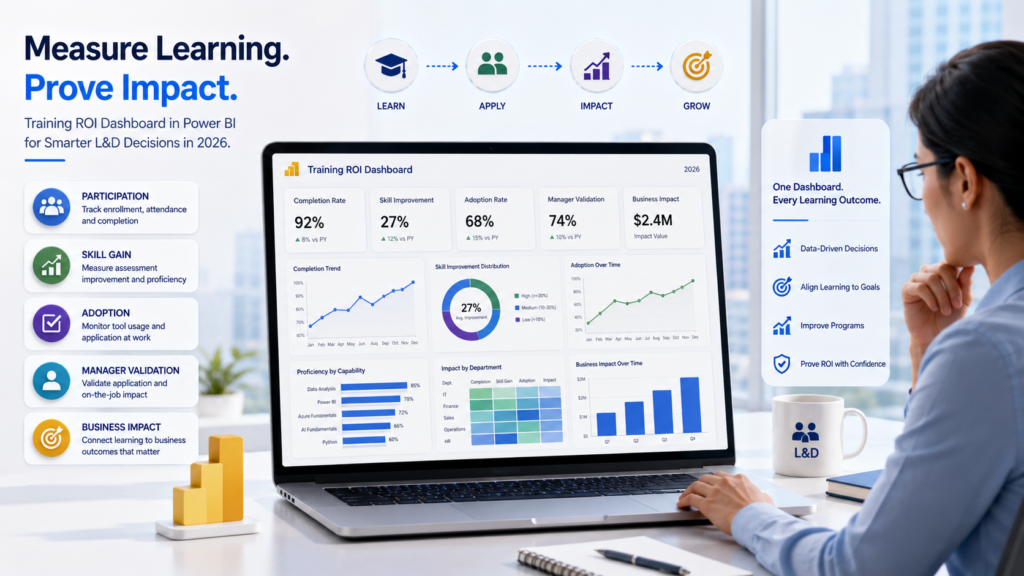
Enterprise L&D leader reviewing role-based corporate IT training ROI across AI, data, cloud, and cybersecurity
blogs

Role-Based Corporate IT Training 2026: How L&D Leaders Can Prove ROI Across AI, Data, Cloud, and Cybersecurity

Introduction: Why Corporate IT Training Must Prove Capability, Not Just Completion Role-based corporate IT training 2026 is an enterprise learning model that maps training to job roles, technology platforms, business outcomes, risk ownership, and measurable performance indicators. For L&D Heads, CIOs, CTOs, CISOs, CHROs, and business transformation leaders, this shift is no longer optional. AI, data, cloud, cybersecurity, automation, and digital platforms are now deeply connected. A team cannot improve AI adoption without data maturity. A cloud team cannot modernize infrastructure without security readiness. A cybersecurity team cannot manage new threats without AI awareness. A business team cannot use dashboards effectively without data literacy. The enterprise training question has changed. The question is no longer: “How many people completed the course?” The better question is: “What changed in the business after the training?” In 2026, L&D leaders need to show whether corporate IT training improved productivity, reduced operational risk, increased platform adoption, improved decision speed, reduced dependency on external teams, or supported transformation goals. The World Economic Forum’s Future of Jobs Report 2025 identifies technological change as a major driver of labor-market transformation through 2030 and highlights the growing importance of skills connected to AI, data, cybersecurity, and technology literacy. That is why generic IT training is no longer enough. Enterprises need role-based corporate IT training that proves workforce capability. In This Guide, You Will Learn What Is Role-Based Corporate IT Training? Role-based corporate IT training is a structured workforce capability model where employees are trained according to their job role, technology exposure, business responsibility, risk ownership, and expected performance outcome. A finance analyst, cloud engineer, HR manager, security analyst, sales leader, and software developer should not receive the same IT training path. They may all need digital fluency, but they do not need the same depth, lab environment, assessment model, or business application. For example: A finance analyst may need Power BI, Excel automation, data interpretation, and GenAI-supported reporting. A cloud engineer may need Azure or AWS architecture, cost optimization, identity control, automation, and security configuration. A security analyst may need threat detection, incident response, AI-enabled attack awareness, and security automation. A business leader may need AI governance, decision intelligence, risk awareness, and transformation reporting. A developer may need secure coding, DevSecOps, cloud-native deployment, AI-assisted development, and responsible AI usage. This is the core value of role-based corporate IT training: it connects learning to the work people actually do. Why Generic IT Training Fails in 2026 Generic IT training fails because it treats learning as a content-delivery activity instead of a capability-building strategy. Most generic training programs have four common problems. First, they teach the same content to different roles. This creates low relevance for learners and weak business application. Second, they measure attendance, completion, and feedback instead of workplace performance. Third, they do not connect learning to enterprise platforms, live projects, risk controls, or business KPIs. Fourth, they leave L&D teams with poor ROI evidence when leadership asks whether training improved performance. In 2026, this is a serious issue. Enterprises are investing in AI tools, cloud platforms, data systems, security programs, automation workflows, and digital transformation initiatives. If employees cannot use these investments effectively, the organization loses value. A role-based training model solves this by asking: This makes training more relevant, more measurable, and more defensible in front of leadership. The 2026 Shift: From Training Completion to Capability Proof Training completion shows that employees attended a program. Capability proof shows that employees can apply new skills in real work. This difference matters because enterprise decision-makers do not buy training only for learning activity. They buy training to improve business performance. Capability proof can include: Microsoft Learn positions credentials as a way to showcase real-world expertise, with certifications and applied skills mapped to AI, cloud, security, and business roles. For enterprise L&D leaders, this supports a larger point: training must move closer to real job performance. TechnoEdge Role-Based Capability ROI Model To make corporate IT training measurable, enterprises can use the TechnoEdge Role-Based Capability ROI Model. This model has five layers. 1. Role Mapping Identify the target roles, their current responsibilities, and the digital skills required for better performance. Example roles include business analysts, cloud engineers, software developers, SOC analysts, project managers, HR leaders, finance teams, and senior decision-makers. 2. Skill Baseline Assess current capability before training begins. This can include quizzes, tool-based assessments, manager inputs, live task reviews, project-readiness checks, or role-specific diagnostics. 3. Custom Learning Path Design training paths based on role, business function, platform, risk exposure, and expected outcome. This prevents overtraining some employees and undertraining others. 4. Hands-On Validation Use labs, simulations, projects, dashboards, incident scenarios, automation tasks, or platform exercises to validate real capability. This is where training moves from knowledge to application. 5. ROI Reporting Measure business impact after training. This can include time saved, error reduction, reporting speed, platform adoption, improved security behavior, reduced dependency on external support, or faster project execution. This model helps L&D leaders speak the language of business leaders, not only the language of learning teams. Role-Based Corporate IT Training Matrix for 2026 A role-based training matrix helps enterprises plan training according to practical business needs. Role Training Need Lab or Project Type ROI Metric Business Analyst Power BI, Excel automation, SQL, GenAI for analysis Dashboard and reporting lab Manual reporting hours reduced Finance Team Data modeling, Power BI, Excel, forecasting Monthly MIS automation project Faster financial reporting Cloud Engineer Azure or AWS, identity, cost control, automation Cloud deployment lab Fewer deployment errors DevOps Engineer CI/CD, containers, cloud monitoring, security Release automation lab Faster release cycles Security Analyst SOC operations, threat detection, AI-enabled threats Incident response simulation Faster detection and response Developer Secure coding, API security, AI-assisted development Secure application lab Reduced code vulnerabilities HR / L&D Leader Learning analytics, AI adoption, capability dashboards Training ROI dashboard Better workforce capability visibility Business Leader AI governance, digital strategy, risk awareness Decision-making workshop Stronger governance and adoption Sales / Client Teams CRM analytics, AI productivity, data storytelling Sales pipeline

Enterprise AI upskilling roadmap showing governance, role-based training, Azure AI, and responsible AI capability building for 2026.
blogs

AI Upskilling for Teams 2026: How Enterprises Can Scale Capability Without Governance Risk

Quick Answer AI upskilling for teams in 2026 should be planned as a governed enterprise capability program, not a one-time AI awareness workshop. CIOs, CISOs, CTOs, CHROs, and L&D Heads should map AI use cases to role-based learning paths, approved tools, data protection rules, governance frameworks, Azure AI capabilities, and measurable business outcomes. The goal is not only to train employees to use generative AI. The real goal is to help teams use AI safely, productively, and responsibly inside approved business workflows. Context Setup: Why This Matters in 2026 Enterprise AI adoption has moved beyond experimentation. Business teams are using generative AI for research, summaries, documentation, reporting, analysis, customer support, sales enablement, and workflow automation. Technical teams are building AI apps, copilots, retrieval systems, and agents. Leadership teams are now asking a more difficult question: how can the organization scale AI capability without increasing governance risk? This is where AI upskilling for teams 2026 becomes a strategic priority. It is no longer enough to run a generic prompt engineering session for all employees. Enterprises need structured, role-based training that connects AI usage with security, compliance, business value, and accountability. The regulatory environment also makes this urgent. The European Commission states that the EU AI Act follows a risk-based approach, with prohibited practices and AI literacy obligations applying from February 2, 2025, GPAI obligations becoming applicable from August 2, 2025, and broader application from August 2, 2026, with some high-risk AI timelines extending later. TechnoEdge supports enterprise teams with role-based AI, Generative AI, Advanced Generative AI, Azure AI, cloud, cybersecurity, and workforce upskilling programs designed for practical adoption and governance alignment. What This Blog Covers In this guide, you will learn: 1. Why Enterprise AI Upskilling Must Start With Governance, Not Tools Many organizations make the same mistake when they begin AI training. They start with tools. They introduce employees to chatbots, copilots, image generators, prompt templates, automation platforms, or AI plugins before defining what employees are allowed to do with them. That approach creates shadow AI risk. Employees may upload confidential information into unapproved tools, automate decisions without review, trust incorrect outputs, bypass procurement rules, or use AI-generated content in sensitive business contexts without disclosure. The issue is not that employees are careless. The issue is that they have not been trained within clear operating boundaries. AI governance is the operating model that defines how AI is selected, approved, deployed, monitored, and controlled across an enterprise. For workforce training, governance should answer practical questions: Which tools are approved? Which data can employees use? Which tasks need human review? Which use cases are prohibited? Which workflows need legal, security, or compliance approval? A governance-first approach helps enterprises avoid a common AI adoption trap: building confidence faster than control. Employees may become fluent in prompts, but still lack the judgment needed to use AI safely inside real business processes. In 2026, enterprise AI training should therefore begin with safe-use principles, risk classification, data handling rules, and escalation paths. Tools should come after those foundations, not before them. 2. How to Build a Governance-Safe AI Upskilling Roadmap A strong enterprise AI training roadmap should connect learning to business workflows. The question is not “How many employees should we train?” The better question is “Which teams need which AI capabilities to improve specific business outcomes without increasing risk?” A governance-safe roadmap should start with approved AI use cases. For example, a marketing team may use GenAI for first-draft content, campaign research, and summarization. A finance team may use AI for report drafting and anomaly explanation, but not for final financial decisions without review. A software team may use AI for code assistance, documentation, test generation, and internal copilots, but must follow secure development practices. Once use cases are clear, enterprises should classify them by risk. Low-risk productivity use cases may require AI literacy and prompt safety. Medium-risk workflows may require manager review, documentation, and approved tool usage. High-impact workflows may require governance, auditability, human oversight, and technical controls. A practical roadmap can follow this sequence: Roadmap Step Enterprise Action Governance Benefit 1. Identify use cases Map AI opportunities by function and process Avoid random tool adoption 2. Classify risk Separate low, medium, and high-impact workflows Match training depth to risk 3. Segment roles Group learners by business, technical, leadership, and risk roles Avoid one-size-fits-all training 4. Select learning paths Build AI literacy, GenAI, Advanced GenAI, Azure AI, and governance tracks Create role-relevant capability 5. Add hands-on labs Use approved business scenarios and policy simulations Convert learning into behavior 6. Measure adoption Track usage quality, productivity, and risk indicators Prove ROI beyond attendance 7. Refresh regularly Update training as tools, policies, and regulations change Keep capability current This approach turns AI upskilling from a training calendar into a workforce capability system. 3. Role-Based AI Training: Why One Learning Path Will Not Work A finance analyst, HR manager, software developer, sales leader, cybersecurity analyst, and legal counsel do not need the same AI training. They may all need AI literacy, but they do not need the same depth of prompt engineering, automation, data handling, Azure AI, or AI governance. AI literacy is the baseline understanding employees need to use AI responsibly, recognize limitations, avoid risky inputs, validate outputs, and follow organizational rules. This should be the foundation for all employees, especially those working with business documents, customer data, internal reports, or decision-support workflows. Generative AI training should then be tailored by function. Business teams need productivity workflows, safe prompting, output review, approved-tool usage, and content verification. Managers need AI use-case approval, quality review, and team adoption practices. Technical teams need deeper coverage of retrieval-augmented generation, evaluation, orchestration, monitoring, integration, and secure deployment. Advanced Generative AI should be reserved for teams that build or manage AI-enabled workflows. These learners need to understand RAG, agents, evaluation, grounding, workflow automation, data access, observability, and failure handling. A practical enterprise segmentation model can look like this: Training Area Target Roles Risk Addressed Capability Built AI Literacy All employees Misuse,

Trust Us, One Call Can Make a Difference
Please enable JavaScript in your browser to complete this form.
Join As Trainer
Join As Trainer
Please enable JavaScript in your browser to complete this form.
Download Course Content
Please enable JavaScript in your browser to complete this form.
More than 5 People are attending Get On a Call with Us
Please enable JavaScript in your browser to complete this form.
More than 5 People are attending Get On a Call with Us
Scroll to Top