
Power Platform Automation Training 2026: How Enterprises Can Build Low-Code Workflows Without Creating Shadow IT
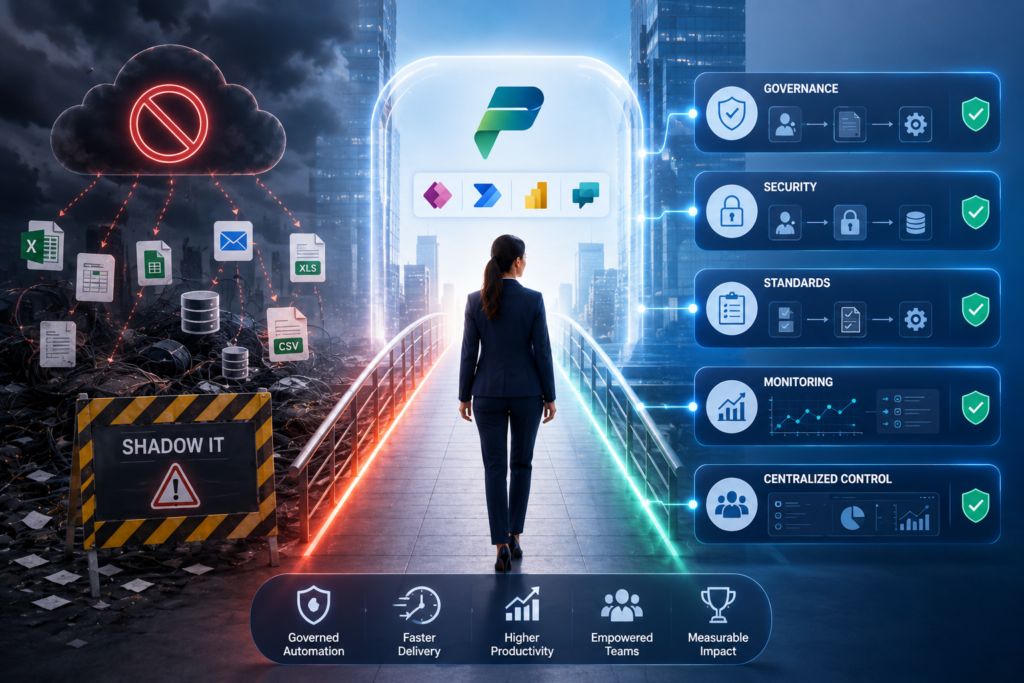
Power Platform automation training 2026 helps enterprises build secure, governed, and scalable low-code workflows using Microsoft Power Platform. It teaches business users, IT admins, automation teams, and security leaders how to use Power Automate, RPA, Dataverse, connectors, data policies, managed environments, and AI workflow controls without creating shadow IT. Introduction Power Platform automation training 2026 is no longer only about teaching employees how to create flows. For enterprises, it is about building governed automation capability across business teams, IT teams, security teams, and L&D functions. Low-code automation is now part of enterprise operations. Business users want faster approvals, fewer manual handoffs, automated notifications, better reporting, and AI-assisted workflow execution. At the same time, CIOs and CISOs need visibility, ownership, auditability, data protection, and lifecycle control. This is where Power Platform automation training becomes a strategic control layer. It helps organizations scale Power Automate, Power Apps, Dataverse, RPA, and AI-assisted workflows while reducing the risk of unmanaged automation, broken flows, exposed data, and shadow IT. Microsoft describes Power Platform data policies as guardrails that help reduce the risk of users unintentionally exposing organizational data, especially through connectors used across Power Apps, Power Automate, and Microsoft Copilot Studio. In This Guide, You Will Learn Why Power Platform Automation Training in 2026 Is a Shadow IT Control Strategy Power Platform automation training in 2026 is not just a productivity initiative. It is a shadow IT prevention strategy. Shadow IT happens when employees create apps, workflows, bots, scripts, dashboards, or automation assets outside approved IT visibility, security review, data governance, and lifecycle management. In the Power Platform context, this can include unmanaged Power Automate flows, personal productivity workflows, custom connectors, desktop flows, AI-assisted workflows, and business-critical automations owned by individual users. The risk increases when business users automate faster than IT can review data access, connector usage, environment boundaries, ownership, and compliance requirements. A simple flow that connects SharePoint, Outlook, Teams, Excel, Salesforce, Dataverse, or a third-party API can become a governance issue if it moves sensitive data into uncontrolled systems. For enterprise decision-makers, the goal is not simply to create more workflows. The goal is to reduce manual effort while keeping automation visible, supportable, secure, and aligned with enterprise governance. Power Platform automation training 2026 helps employees understand when to automate, what data can be used, which connectors are allowed, how approvals work, when IT review is required, and how workflows should move from prototype to production. What Power Platform Automation Training 2026 Must Cover A strong Power Platform automation training program must be role-based. A business maker, RPA developer, IT admin, security leader, and L&D head do not need the same depth of training. Power Automate users need to understand workflow logic, approvals, triggers, actions, exceptions, and monitoring. RPA developers need desktop flow design, legacy application automation, API usage, error handling, and deployment discipline. IT admins need environment strategy, connector governance, DLP policies, managed environments, inventory, ownership, and monitoring. Security leaders need visibility into data movement, AI-enabled workflows, and risk controls. Microsoft defines Power Platform data policies as a way for administrators to control connector access and reduce organizational data risk. The same Microsoft documentation explains that policy changes can affect both design-time maker experience and runtime workflow execution. A complete enterprise training program should cover: Training Area Target Role Risk Addressed Business Capability Power Platform fundamentals Business leaders and makers Misuse of low-code tools Platform awareness Power Automate cloud flows Process owners and makers Manual handoffs Workflow automation Desktop flows and RPA Automation developers Legacy process dependency RPA delivery Dataverse security App makers and admins Unauthorized access Secure data model DLP policies and connectors IT admins and CISOs Data leakage Connector governance Managed environments Platform owners Uncontrolled scaling Environment control ALM and deployment Developers and admins Unsupported production workflows Release discipline AI workflow governance Business, IT, and security teams Uncontrolled AI actions Safe AI-assisted automation Core Definitions for Enterprise Teams Power Platform automation training 2026 is role-based enterprise training that helps teams build, govern, monitor, and scale low-code workflows using Microsoft Power Platform. Power Automate is Microsoft’s workflow automation service for creating cloud flows, desktop flows, approvals, integrations, and RPA-driven process automation. RPA means robotic process automation. It uses software bots or desktop flows to automate repetitive tasks across desktop applications, browser-based systems, terminals, APIs, databases, and legacy platforms. Dataverse is Microsoft’s enterprise data platform for Power Platform. It supports structured data, security roles, business rules, relationships, and application lifecycle management. DLP policies are Power Platform data loss prevention policies that classify connectors and define which connectors can be used together in specific environments. Managed environments are premium Power Platform capabilities that help admins manage Power Platform at scale with more control, less effort, and more insights. Microsoft lists features such as environment groups, limit sharing, usage insights, data policies, pipelines, solution checker, IP firewall, and other governance capabilities under managed environments. Center of Excellence is an operating model that supports Power Platform governance, enablement, standards, support, training, monitoring, and adoption. Power Platform Certification Positioning in 2026 Enterprises should treat Microsoft certification as a useful capability signal, but not as the complete training strategy. Power Platform automation training 2026 should be aligned with certification areas, but it must also include current enterprise governance needs such as DLP policies, managed environments, AI workflow governance, ALM, monitoring, and production support. Microsoft’s Power Platform Fundamentals certification covers the business value and product capabilities of Power Platform, including Power Apps, Dataverse, data connections, and Power Automate. Microsoft also notes that the English version of this certification will be updated on July 24, 2026. Microsoft’s Power Platform App Maker Associate page shows a retirement date of June 30, 2024, while still describing the underlying capability area of building low-code solutions to simplify, automate, and transform business tasks and processes. Microsoft’s Power Automate RPA Developer Associate page also shows that the certification and renewal assessment are retired, while the page still describes the skill area around automating Windows-based, browser-based, and terminal-based repetitive processes using desktop flows,