
TechnoEdge

Free Master Class

How to Plan Your AI Training Budget for FY26? (For CHROs & L&Ds)

role-based AI training

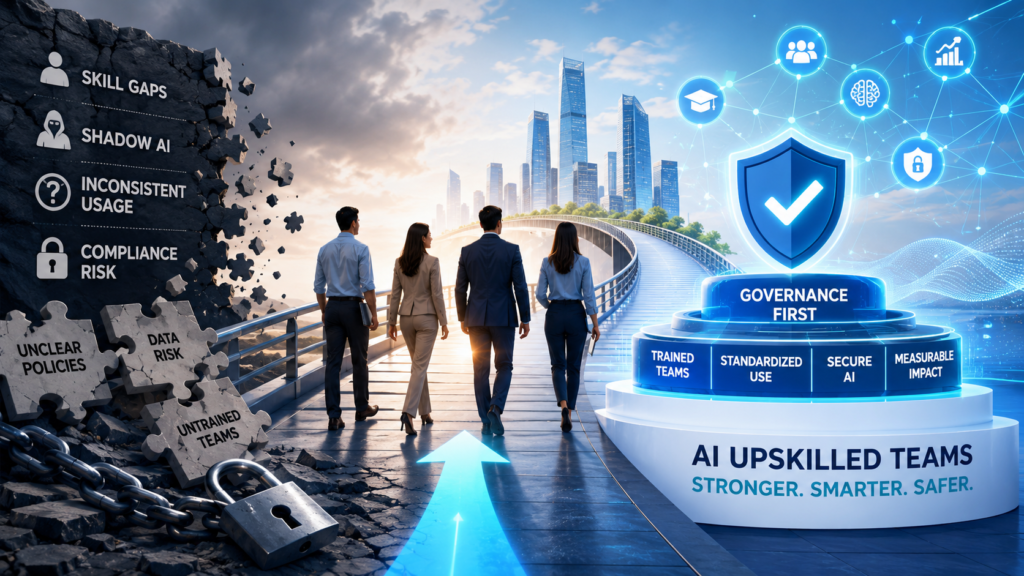
Enterprise AI upskilling roadmap showing governance, role-based training, Azure AI, and responsible AI capability building for 2026.
blogs

AI Upskilling for Teams 2026: How Enterprises Can Scale Capability Without Governance Risk

Quick Answer AI upskilling for teams in 2026 should be planned as a governed enterprise capability program, not a one-time AI awareness workshop. CIOs, CISOs, CTOs, CHROs, and L&D Heads should map AI use cases to role-based learning paths, approved tools, data protection rules, governance frameworks, Azure AI capabilities, and measurable business outcomes. The goal is not only to train employees to use generative AI. The real goal is to help teams use AI safely, productively, and responsibly inside approved business workflows. Context Setup: Why This Matters in 2026 Enterprise AI adoption has moved beyond experimentation. Business teams are using generative AI for research, summaries, documentation, reporting, analysis, customer support, sales enablement, and workflow automation. Technical teams are building AI apps, copilots, retrieval systems, and agents. Leadership teams are now asking a more difficult question: how can the organization scale AI capability without increasing governance risk? This is where AI upskilling for teams 2026 becomes a strategic priority. It is no longer enough to run a generic prompt engineering session for all employees. Enterprises need structured, role-based training that connects AI usage with security, compliance, business value, and accountability. The regulatory environment also makes this urgent. The European Commission states that the EU AI Act follows a risk-based approach, with prohibited practices and AI literacy obligations applying from February 2, 2025, GPAI obligations becoming applicable from August 2, 2025, and broader application from August 2, 2026, with some high-risk AI timelines extending later. TechnoEdge supports enterprise teams with role-based AI, Generative AI, Advanced Generative AI, Azure AI, cloud, cybersecurity, and workforce upskilling programs designed for practical adoption and governance alignment. What This Blog Covers In this guide, you will learn: 1. Why Enterprise AI Upskilling Must Start With Governance, Not Tools Many organizations make the same mistake when they begin AI training. They start with tools. They introduce employees to chatbots, copilots, image generators, prompt templates, automation platforms, or AI plugins before defining what employees are allowed to do with them. That approach creates shadow AI risk. Employees may upload confidential information into unapproved tools, automate decisions without review, trust incorrect outputs, bypass procurement rules, or use AI-generated content in sensitive business contexts without disclosure. The issue is not that employees are careless. The issue is that they have not been trained within clear operating boundaries. AI governance is the operating model that defines how AI is selected, approved, deployed, monitored, and controlled across an enterprise. For workforce training, governance should answer practical questions: Which tools are approved? Which data can employees use? Which tasks need human review? Which use cases are prohibited? Which workflows need legal, security, or compliance approval? A governance-first approach helps enterprises avoid a common AI adoption trap: building confidence faster than control. Employees may become fluent in prompts, but still lack the judgment needed to use AI safely inside real business processes. In 2026, enterprise AI training should therefore begin with safe-use principles, risk classification, data handling rules, and escalation paths. Tools should come after those foundations, not before them. 2. How to Build a Governance-Safe AI Upskilling Roadmap A strong enterprise AI training roadmap should connect learning to business workflows. The question is not “How many employees should we train?” The better question is “Which teams need which AI capabilities to improve specific business outcomes without increasing risk?” A governance-safe roadmap should start with approved AI use cases. For example, a marketing team may use GenAI for first-draft content, campaign research, and summarization. A finance team may use AI for report drafting and anomaly explanation, but not for final financial decisions without review. A software team may use AI for code assistance, documentation, test generation, and internal copilots, but must follow secure development practices. Once use cases are clear, enterprises should classify them by risk. Low-risk productivity use cases may require AI literacy and prompt safety. Medium-risk workflows may require manager review, documentation, and approved tool usage. High-impact workflows may require governance, auditability, human oversight, and technical controls. A practical roadmap can follow this sequence: Roadmap Step Enterprise Action Governance Benefit 1. Identify use cases Map AI opportunities by function and process Avoid random tool adoption 2. Classify risk Separate low, medium, and high-impact workflows Match training depth to risk 3. Segment roles Group learners by business, technical, leadership, and risk roles Avoid one-size-fits-all training 4. Select learning paths Build AI literacy, GenAI, Advanced GenAI, Azure AI, and governance tracks Create role-relevant capability 5. Add hands-on labs Use approved business scenarios and policy simulations Convert learning into behavior 6. Measure adoption Track usage quality, productivity, and risk indicators Prove ROI beyond attendance 7. Refresh regularly Update training as tools, policies, and regulations change Keep capability current This approach turns AI upskilling from a training calendar into a workforce capability system. 3. Role-Based AI Training: Why One Learning Path Will Not Work A finance analyst, HR manager, software developer, sales leader, cybersecurity analyst, and legal counsel do not need the same AI training. They may all need AI literacy, but they do not need the same depth of prompt engineering, automation, data handling, Azure AI, or AI governance. AI literacy is the baseline understanding employees need to use AI responsibly, recognize limitations, avoid risky inputs, validate outputs, and follow organizational rules. This should be the foundation for all employees, especially those working with business documents, customer data, internal reports, or decision-support workflows. Generative AI training should then be tailored by function. Business teams need productivity workflows, safe prompting, output review, approved-tool usage, and content verification. Managers need AI use-case approval, quality review, and team adoption practices. Technical teams need deeper coverage of retrieval-augmented generation, evaluation, orchestration, monitoring, integration, and secure deployment. Advanced Generative AI should be reserved for teams that build or manage AI-enabled workflows. These learners need to understand RAG, agents, evaluation, grounding, workflow automation, data access, observability, and failure handling. A practical enterprise segmentation model can look like this: Training Area Target Roles Risk Addressed Capability Built AI Literacy All employees Misuse,
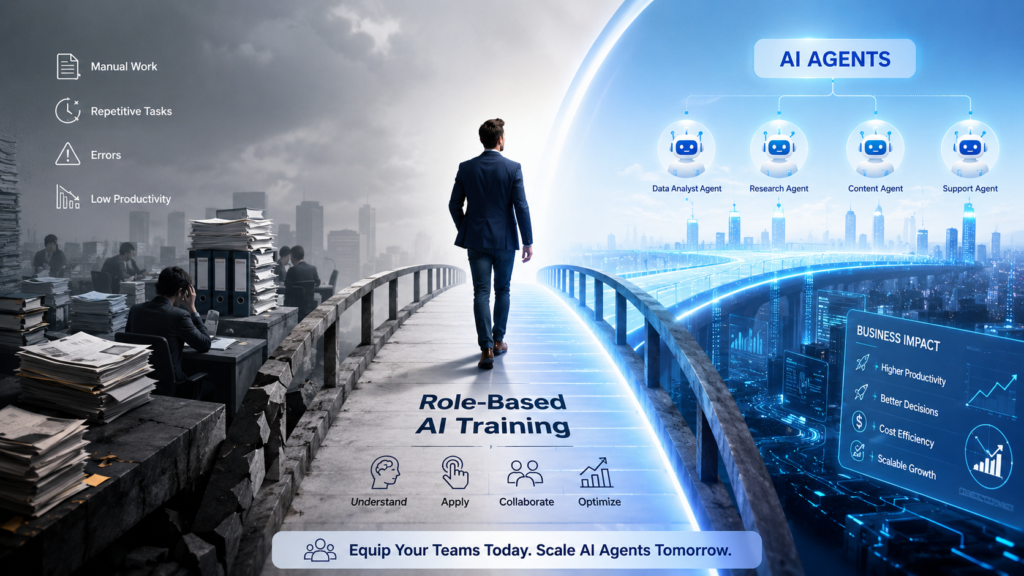

Role-based agentic AI training for business teams moving from manual work to AI agents
blogs

Agentic AI for Business Teams in 2026: Why Enterprises Need Role-Based Training Before AI Agents Scale

AI agents are no longer just experimental tools inside innovation labs. In 2026, they are entering business workflows, customer operations, analytics systems, IT service desks, finance processes, HR platforms, and enterprise automation pipelines. For years, enterprise AI was mainly used to assist decisions. Business users asked questions. AI generated summaries. Analysts used dashboards. Managers reviewed recommendations. Human teams remained firmly in control of the workflow. That model is changing. Agentic AI introduces a more serious enterprise shift. Instead of only answering questions, AI agents can plan tasks, use tools, trigger actions, interact with systems, and complete multi-step workflows with varying levels of autonomy. This is not just another chatbot upgrade. It is a structural change in how work moves through an organization. The companies that treat agentic AI as a software rollout will struggle. The companies that treat it as a workforce capability shift will be better prepared to scale it safely, productively, and profitably. 2026 Disruption: AI Agents Are Moving from Assistants to Actors The 2026 disruption is clear. Enterprises are moving from AI that informs employees to AI that acts on behalf of employees. Microsoft describes Copilot Studio as a SaaS agent platform that helps organizations build AI agents and agentic workflows for business processes, with managed security, governance, and operations capabilities for enterprise scale. This changes the training requirement. A business user who worked with Generative AI in 2024 may only have needed prompt clarity, output review, and basic AI awareness. In 2026, the same user may need to understand what an AI agent is allowed to do, when human approval is required, how enterprise data is accessed, how actions are logged, and how errors are escalated. Deloitte’s 2026 State of AI in the Enterprise research shows why this matters. In a survey of 3,235 IT and business leaders across 24 countries, only 21 percent said their organizations had a mature governance model for agentic AI, while 74 percent expected their companies to use AI agents at least moderately by 2027. That gap is the real enterprise risk. The issue is not whether business teams will use AI agents. They will. The issue is whether they will use them with enough role clarity, governance awareness, process discipline, and business judgment to produce measurable value instead of operational confusion. What This Blog Covers In this blog, you will learn: The Big Shift in One View AI answered questions↓AI agents execute workflows↓Teams must direct and validate agents↓Untrained users create risk and weak ROI↓Role-based training becomes mandatory before scale 1. Agentic AI Is Not Another Chatbot Upgrade Agentic AI changes the operating model. A chatbot responds to a question. A Generative AI tool produces content. An AI agent can pursue a goal across multiple steps, use enterprise tools, make intermediate decisions, and trigger actions inside a workflow. That distinction matters because business risk increases when AI moves from response to execution. When AI summarizes a document incorrectly, the damage may be limited if a human reviews it. When an AI agent updates a CRM record, sends a supplier email, approves a workflow, escalates a ticket, changes a project status, or triggers a data pipeline, the organization is no longer dealing with content quality alone. It is dealing with process control. IBM describes this shift clearly: agentic AI moves enterprise AI from insight to execution, which demands new standards for governance, accountability, and control. The governance focus must move from validating answers to controlling actions. This is why enterprise leaders cannot treat agentic AI training as a generic AI awareness session. The finance team does not need the same training as the IT team. HR does not need the same operating model as customer support. Sales teams do not face the same governance risks as data engineering teams. Role-based training is the bridge between AI agent capability and safe enterprise adoption. 2. Why 2026 Makes Role-Based Agentic AI Training Urgent The timing is important. In earlier stages of AI adoption, many organizations could afford to experiment. Teams used ChatGPT, Copilot, Gemini, or internal AI tools for productivity. Leaders encouraged pilots. Innovation teams tested use cases. Risk remained manageable because most AI outputs still required human action. That window is narrowing. Microsoft’s Build 2026 messaging highlights secure, governed, extensible foundations for AI agents across platforms such as Copilot Studio, Agent 365, Azure DevOps, and Model Context Protocol. The direction is clear: enterprise AI is moving toward agent creation, governance, adoption, support, and measurable outcomes at scale. This creates pressure on business teams. Employees who only understand “how to prompt AI” may not understand how to supervise an AI agent. Managers who only understand AI productivity may not understand agent accountability. Department heads who only approve use cases may not know how to define autonomy levels, escalation rules, data boundaries, and success metrics. However, the solution is not to slow down adoption indefinitely. The right response is structured enablement. Enterprises need to train employees before agents become deeply embedded in daily workflows. That training must be practical, role-specific, and connected to the tools employees already use, such as Microsoft 365 Copilot, Copilot Studio, Power BI, Microsoft Fabric, Azure AI, CRM platforms, HR systems, ticketing systems, and workflow automation platforms. 3. The Enterprise Risk: Scaling Agents Before Skills The biggest risk is not that AI agents fail publicly. The bigger risk is that they fail quietly inside business processes. An AI agent can make a wrong assumption, use outdated data, trigger an unnecessary escalation, reveal sensitive information, create inconsistent customer responses, or complete a task without enough human review. Deloitte warns that without proper monitoring and central control, AI agents can make unseen mistakes, work at cross purposes, expose sensitive information, invite cyberattacks, and create compounded risks as pilots move to full production. This is not a technology-only problem. It is a people, process, and governance problem. If business teams do not understand how agents work, they cannot define safe boundaries. If managers do not know what to monitor, they cannot measure performance.

Trust Us, One Call Can Make a Difference
Please enable JavaScript in your browser to complete this form.
Join As Trainer
Join As Trainer
Please enable JavaScript in your browser to complete this form.
Download Course Content
Please enable JavaScript in your browser to complete this form.
More than 5 People are attending Get On a Call with Us
Please enable JavaScript in your browser to complete this form.
More than 5 People are attending Get On a Call with Us
Scroll to Top