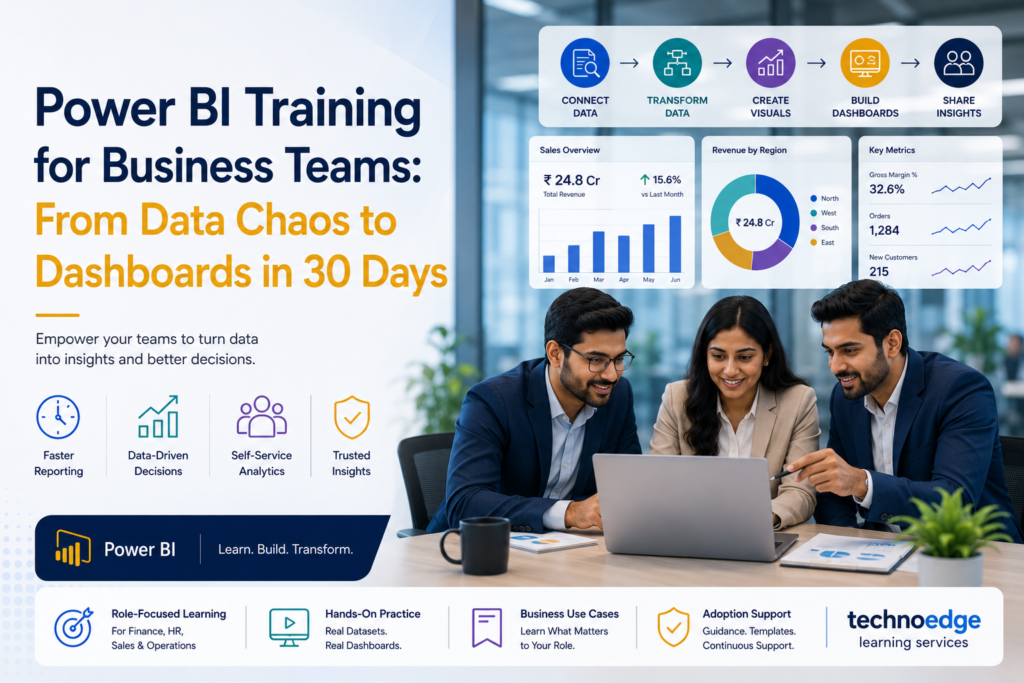
Power BI Training for Business Teams: From Data Chaos to Dashboards in 30 Days
Most Indian enterprises in IT, BFSI, manufacturing, and GCCs have data in abundance but insights in short supply. Finance teams spend days compiling spreadsheets, HR leaders chase manual headcount reports, sales managers struggle with inconsistent pipeline data, and operations leaders rely on static dashboards that are outdated by the time they’re reviewed. The problem is not lack of data—it’s lack of structured Power BI training for business teams that connects analytics to real reporting pain points. A focused 30-day programme can transform how non-technical teams consume and create data, turning data chaos into actionable dashboards. At Technoedge, we design Power BI training India programmes specifically for business teams, with role-focused learning, business-use-case dashboards, and adoption support that helps non-technical users become confident analytics practitioners. Why business teams need structured Power BI training now Data-driven decision-making is no longer optional for enterprise leaders. Yet many business teams still rely on Excel-heavy workflows, manual consolidation, and static reports that delay decisions and introduce errors. Structured Power BI training for business teams addresses this by: What usually goes wrong: What good looks like: This is why Power BI training India for business teams must be practical, use-case driven, and supported beyond the classroom. Common reporting problems across finance, HR, sales, and operations Different functions face different reporting challenges, but some patterns are consistent across Indian enterprises. Finance teams HR teams Sales teams Operations teams What these problems have in common: Power BI, when taught with business use cases in mind, directly addresses each of these pain points. A 30-day roadmap for power bi training for business teams A structured 30-day roadmap helps business teams move from zero to confident dashboard creators without overwhelming them. Days 1–7: Foundations and data literacy Goal: Learners can connect to a data source and build a basic report. Days 8–14: Building functional dashboards Goal: Learners build a dashboard for their actual reporting need. Days 15–21: Advanced visuals and business logic Goal: Learners create polished, function-specific dashboards. Days 22–30: Adoption and reinforcement Goal: Learners are confident users who can maintain and improve their dashboards. This roadmap ensures Power BI training for business teams is practical and outcome-focused. Core modules in power bi corporate training Effective Power BI corporate training for business teams should cover these core modules, prioritised by business relevance rather than technical depth. Power BI fundamentals Data preparation with Power Query Visualisation best practices Measures and basic DAX Dashboard design and publishing Data governance and security These modules should be taught with business use cases, not abstract examples. Function-wise dashboard use cases To make Power BI training India practical, training should include function-specific dashboard use cases that learners can adapt to their context. Finance dashboards HR dashboards Sales dashboards Operations dashboards These use cases make training immediately relevant and increase the likelihood of adoption. How to improve adoption after training Training alone does not guarantee adoption. Business teams need ongoing support to translate learning into everyday use. Strategies for improving adoption What usually goes wrong What good looks like This approach ensures Power BI training for business teams leads to sustained adoption. How Technoedge helps with practical Power BI training, business-use-case dashboards, role-focused learning, and adoption support for non-technical teams At Technoedge, Power BI training is designed for business teams, not just technical analysts. We focus on practical learning, real use cases, and adoption support that helps non-technical users become confident. Our approach includes: 1. Practical Power BI training 2. Business-use-case dashboards 3. Role-focused learning 4. Adoption support This ensures that Power BI training India for business teams translates into real-world impact. FAQs 1. Power BI training India: what should be covered in enterprise training programs? Enterprise Power BI training should cover fundamentals, data preparation with Power Query, visualisation best practices, basic DAX measures, dashboard design, publishing, and data governance. It should also include function-specific use cases for finance, HR, sales, and operations. The content should be practical and business-focused, not overly technical. 2. Power BI training for business teams: can non-technical teams learn dashboard creation effectively? Yes, non-technical teams can learn dashboard creation effectively when training is designed for them. The key is to focus on business use cases, avoid deep technical complexity, and provide hands-on practice with real data. With the right approach, managers and functional leaders can build dashboards without coding experience. 3. Power BI corporate training: which departments benefit most from dashboard skills? Finance, HR, sales, and operations departments benefit most from dashboard skills because they rely heavily on reporting and data-driven decisions. These functions typically have the most manual reporting processes and the highest potential for improvement. Other departments like marketing, supply chain, and customer success also benefit significantly. 4. Power BI training India: how long does business team training usually take? Business team training typically takes 4–6 weeks for a comprehensive programme, with a 30-day roadmap being a common model. This includes foundational learning, dashboard building, and adoption support. Intensive bootcamps can compress this into 1–2 weeks, but longer programmes tend to have better adoption. 5. Power BI training for business teams: how to improve dashboard adoption after training? Improving adoption requires linking dashboards to real reporting pain points, creating champions in each function, providing templates, scheduling follow-up sessions, integrating dashboards into workflows, and measuring usage. Training alone is not enough; ongoing support is critical for sustained adoption. Connect with us For organizations investing in Power BI training for business teams, the biggest improvement often comes from linking dashboards to real reporting pain points. Technoedge can help make that shift through business-focused Power BI learning journeys and practical analytics use cases. To explore how this can work for your context, you can connect with Technoedge at: https://technoedgelearning.com